

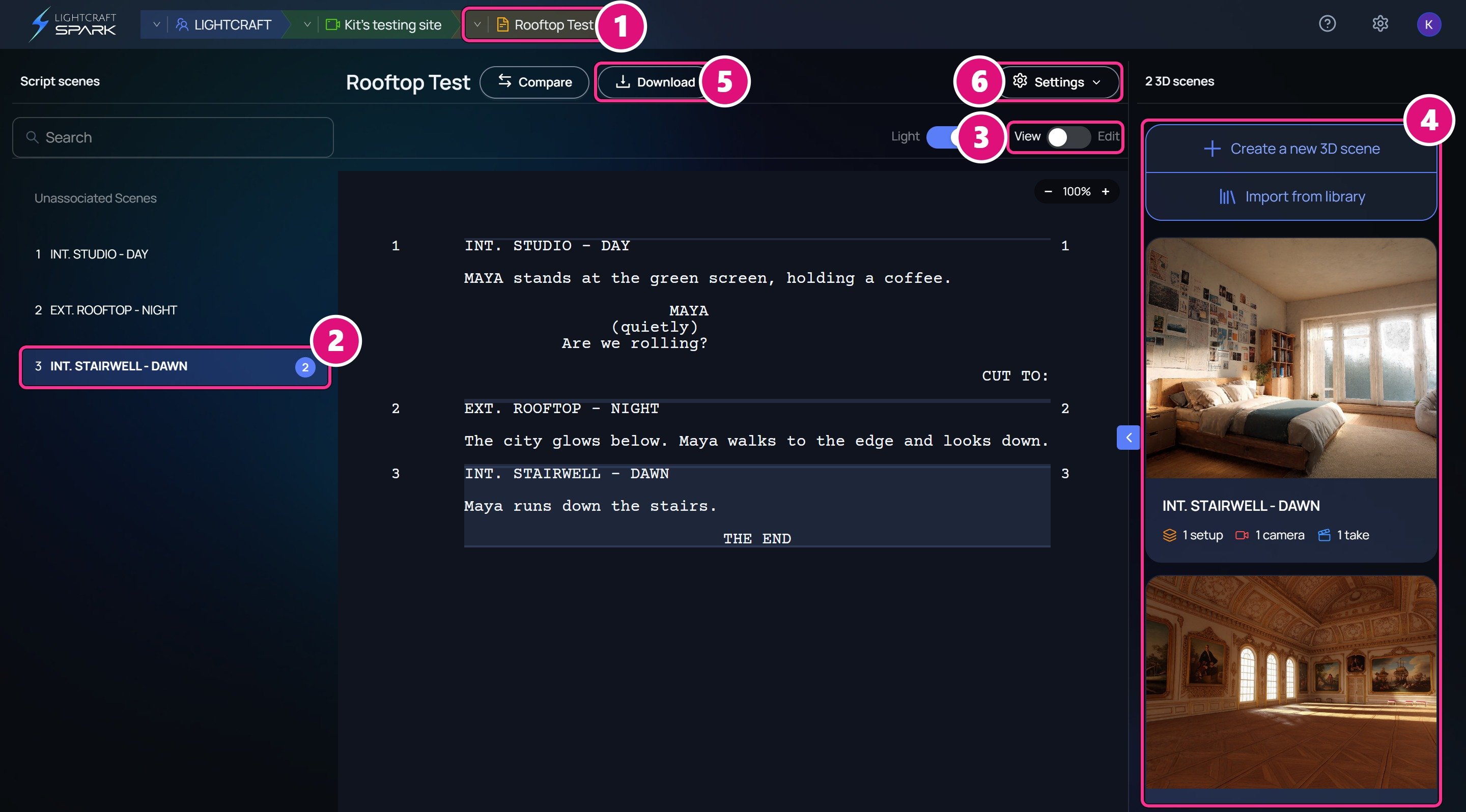
- Script switcher
- Script scene, with its number and 3D scene count
- View and Edit
- 3D scenes, with Create a new 3D scene
- Download: Fountain or PDF
- Settings: General and Page format
- Click the switcher’s arrow to open another script in this production.
- For View and Edit, see Script editor.
- For scene numbers and Page format, see Scene numbers and page format.
Scripts, script scenes and 3D scenes
Spark uses four terms that sound alike. Each one names a different thing.
Scene headings don’t make 3D scenes on their own. Each script scene starts with none, and you add each 3D scene with Create a new 3D scene. Spark names it after the script scene.
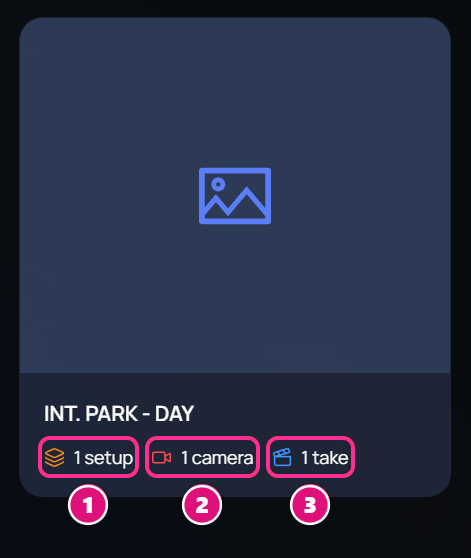
- Setups
- Cameras
- Takes
Add a script
On the production’s Scripts tab, click Add a Script. Pick one of these options.
To upload a file:
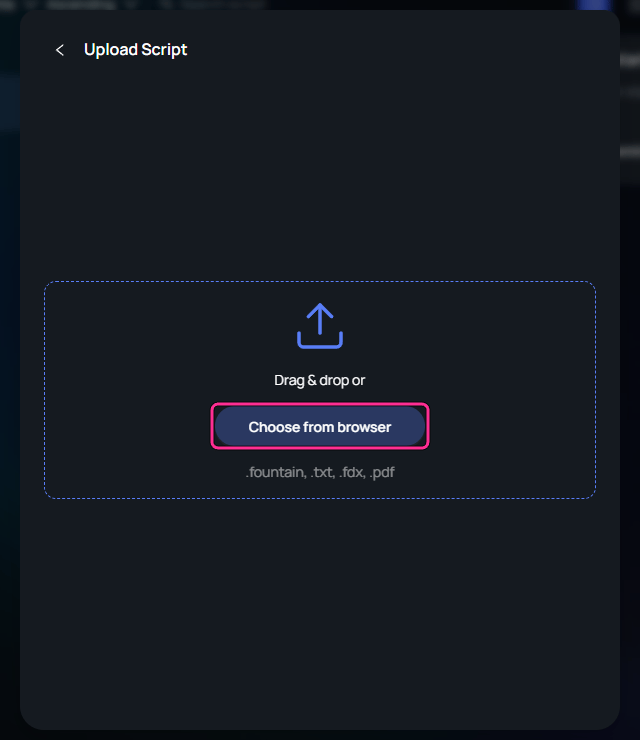
Choose the file
Click Add a Script, then Upload. Drag your file into the window, or click Choose from browser.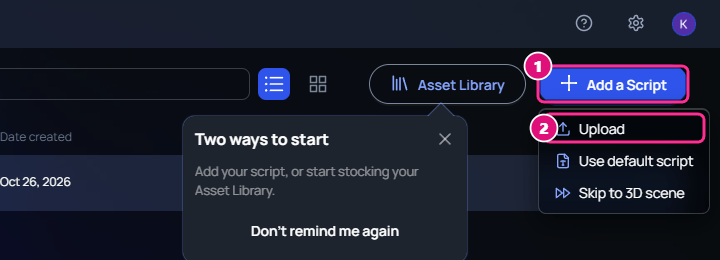
- Add a Script
- Upload
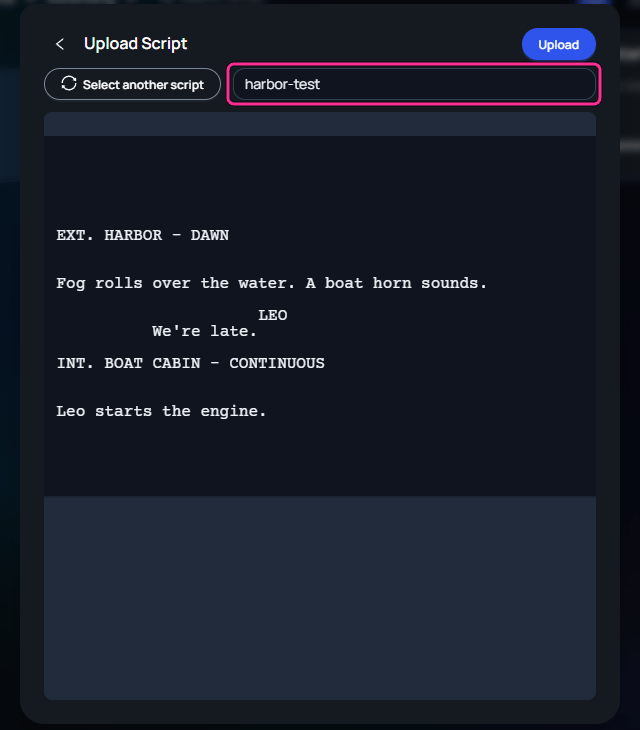

Title: line. Otherwise the script takes the file’s name. Spark turns a PDF into Fountain when you upload it.
Scripts with no scene headings
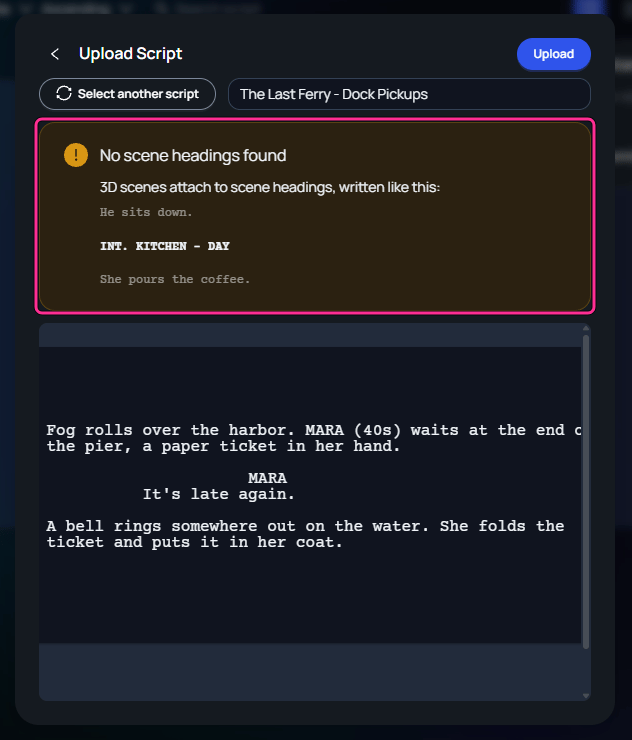
3D scenes attach to scene headings, such asINT. KITCHEN - DAY. If a file has none, the upload preview warns No scene headings found. Upload still works.
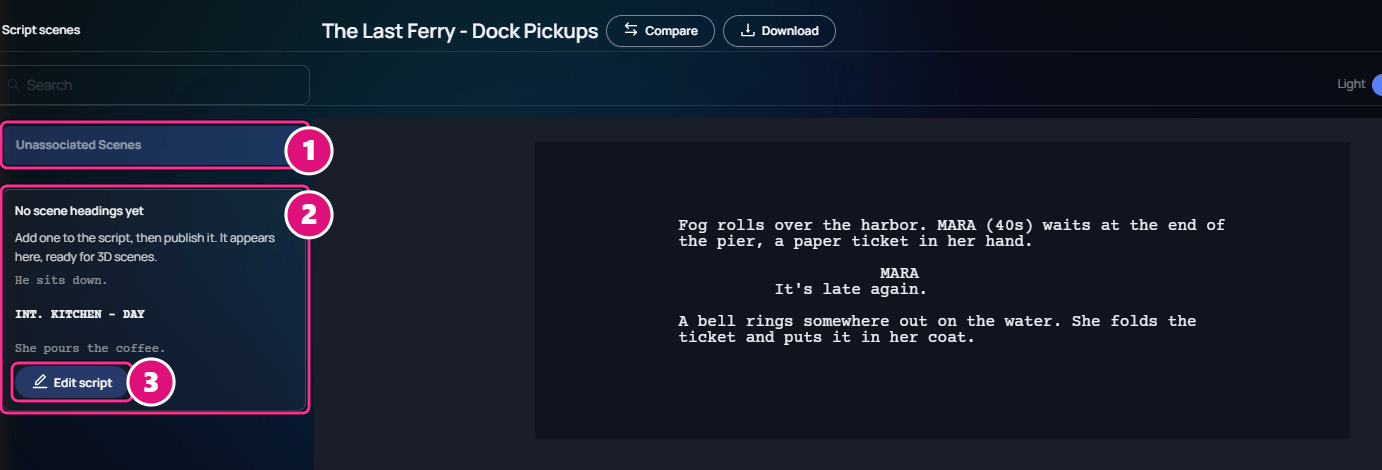
- Unassociated Scenes
- No scene headings yet
- Edit script
Jump to a script scene
Click a heading under Script scenes. Spark highlights that scene in the script, and the 3D scene list shows its 3D scenes. To find a heading in a long script, enter part of it, or its scene number, in Search. To give the 3D scenes more room, click the arrow on the left edge of the 3D scene list. The script collapses, and each 3D scene shows as a row with its setups, cameras and takes.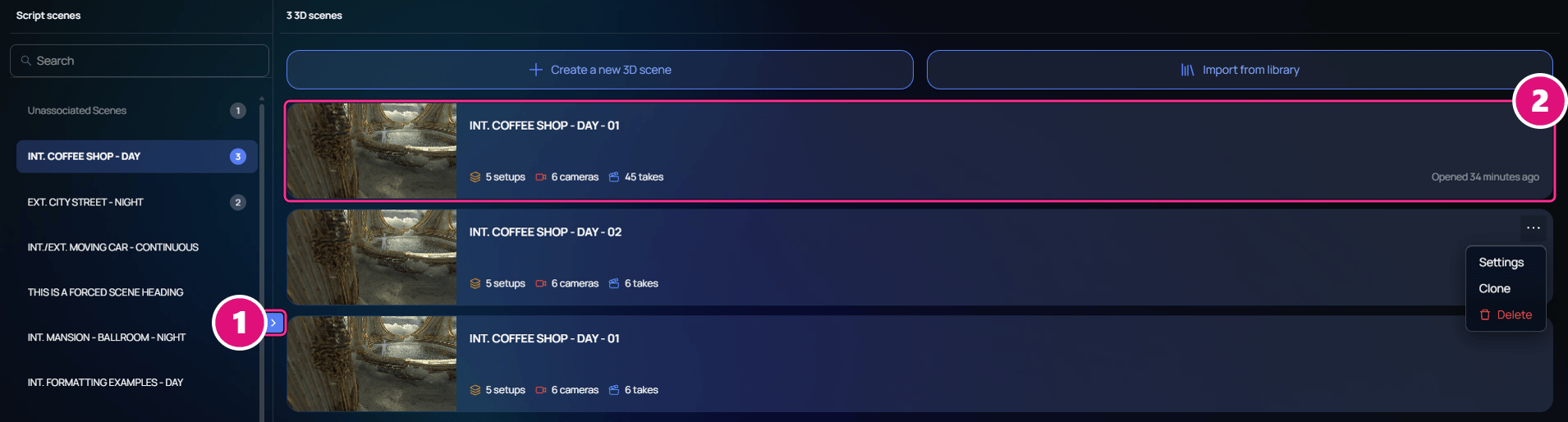
- Collapse or expand the script
- 3D scene row
Switch between scripts
In the breadcrumb at the top, click the arrow beside the script’s name, then pick another script. The Scripts tab also lists every script, with how many 3D scenes each holds.Rename or delete a script
On the Scripts tab, click ⋯ at the end of the script’s row.- To rename, click Settings, change Title, then click Save. On the script page, Settings then General opens the same window.
- To delete, click Delete, then Delete again to confirm.
Related
Script editor
Write and format the script.
Drafts and versions
Publish edits and bring in a newer draft.
3D scenes
Open the 3D scenes of a script scene.