

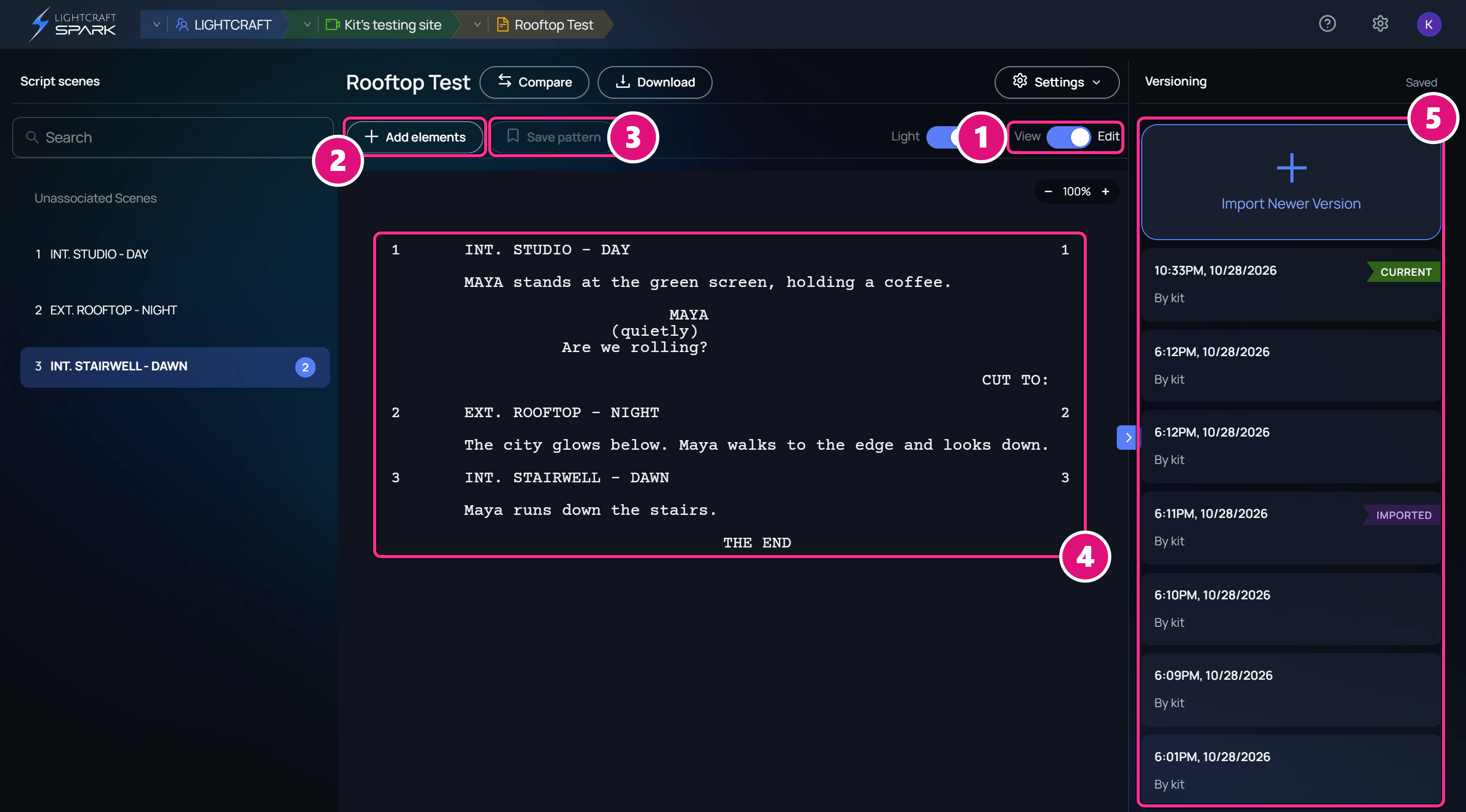
- View and Edit
- Add elements
- Save pattern
- Script
- Versioning column
View and Edit
Click the switch, or press Ctrl+E (Cmd+E on a Mac). In Edit mode, the Versioning column takes the place of the 3D scene list. Spark saves your typing about 1.5 seconds after you stop, as a draft that only you see. Others see it once you publish it. See Publish your edits. The status beside Versioning shows how saving is going.Write scene headings
Start a line withINT., EXT., EST., INT./EXT. or I/E., then the place and the time of day.
Scene headings
.FLASHBACK does here. A new heading joins Script scenes once you publish.
Format screenplay elements
Spark uses Fountain syntax for screenplay formatting. Click Add elements to insert an element without typing its syntax.Insert the element
Click Add elements, then click an element. Spark inserts sample text at the cursor.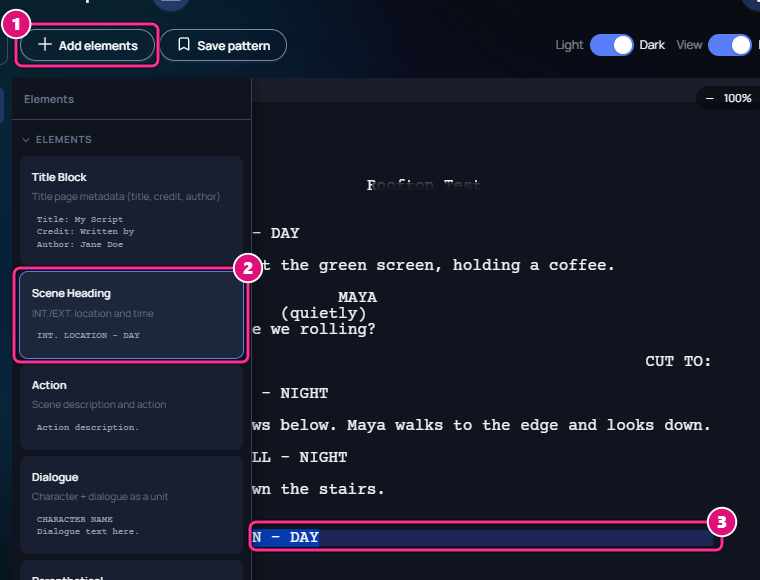
- Add elements
- Element
- Sample text
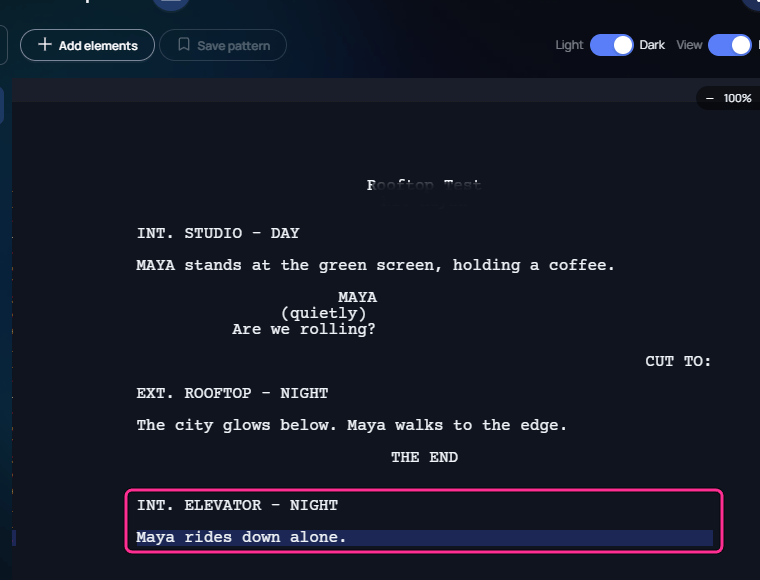
To save your own pattern, select the text, click Save pattern, name it, then click Save. It appears under Custom in Add elements.
See every Fountain element in one script
See every Fountain element in one script
Add a script with Use default script. The Fountain Syntax Guide shows each element, including dual dialogue, lyrics, page breaks and emphasis, with the syntax beside it.
Related
Scripts and script scenes
Add, switch and rename scripts.
Drafts and versions
Publish your edits for everyone.
3D scenes
Build 3D scenes for each script scene.