

Add audio
- Click the Audio tab. To add a file, click Upload.
- On an audio file’s … menu, click Add at playhead. It goes on the audio lane.
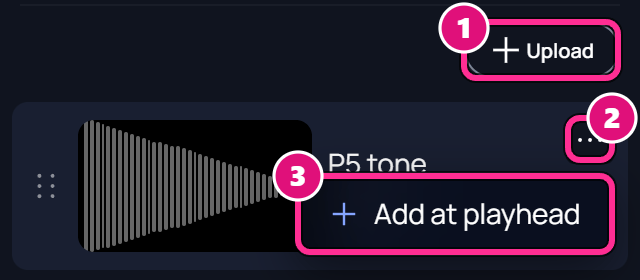
- Upload
- …
- Add at playhead
Export an edit
Check the settings
Set the name, aspect ratio, resolution and frame rate. These change the edit itself as well as this build. This build covers the whole timeline. To build part of it, drag a loop band on the ruler first.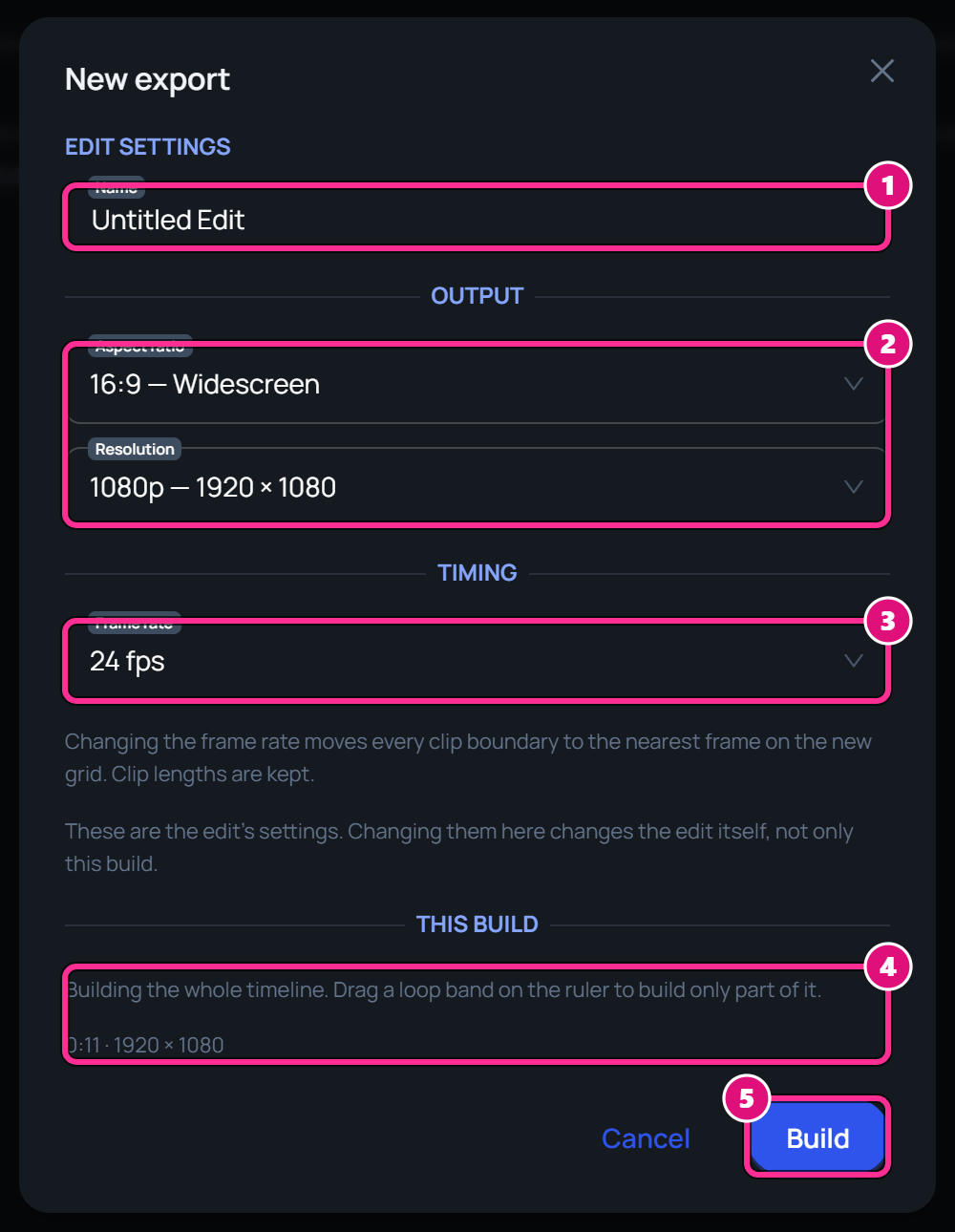
- Name
- Aspect ratio and Resolution
- Frame rate
- This build
- Build
Build it
Click Build. An 11-second edit took about 18 seconds. The build joins the Builds list.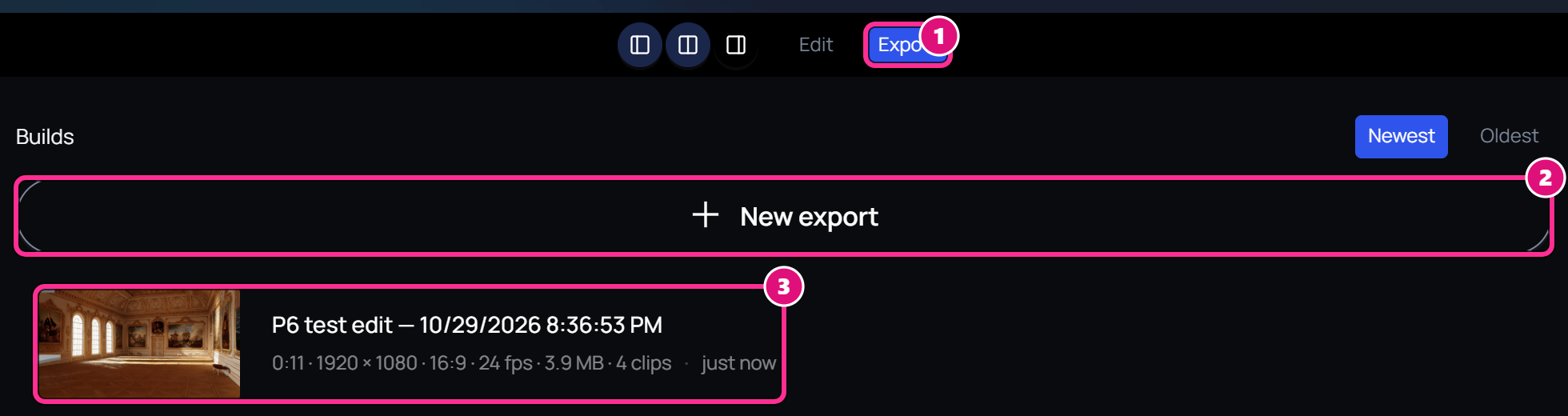
- Export
- New export
- Build
Related
Build an edit
Cut takes into a rough cut.
Shoot with Jetset
Send a 3D scene to Jetset for the set.