

Hiding an object in one setup
The eye on an object’s row hides the object in the active setup only. Other setups still show it.- Click the setup you want to change, such as Setup A, to make it active.
- Click the object’s row in that setup.
- Click the eye on the row.
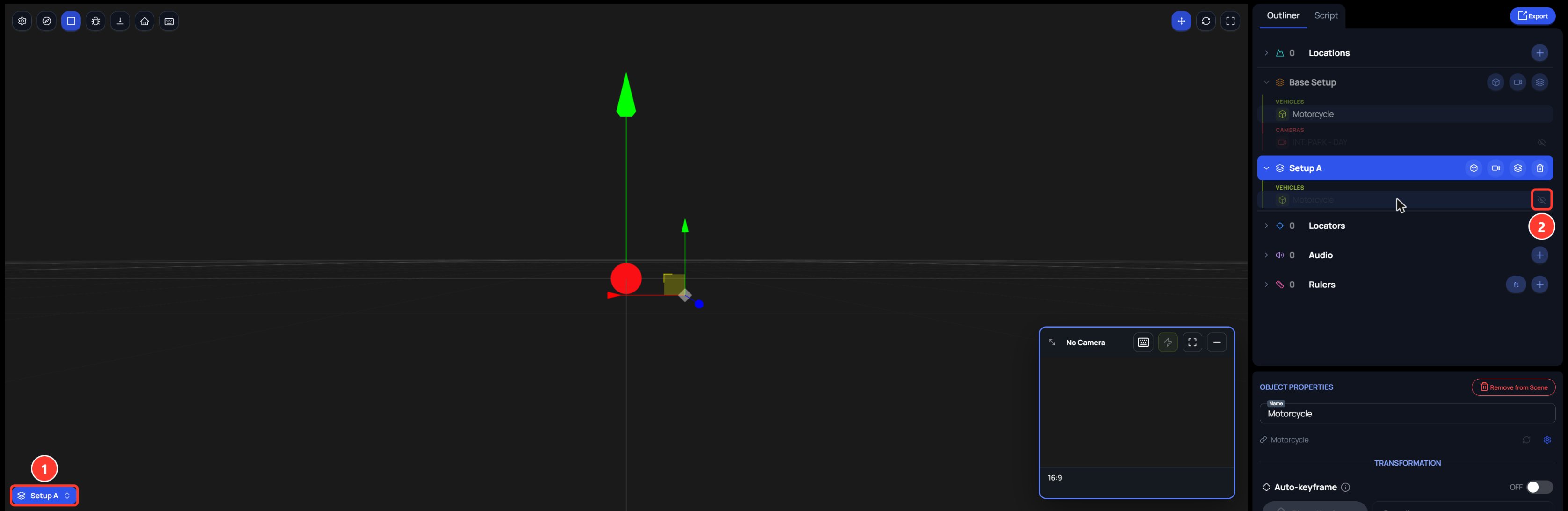
- The chip names the active setup, Setup A.
- The crossed-out eye marks the object as hidden in this setup. Click it to show the object again.
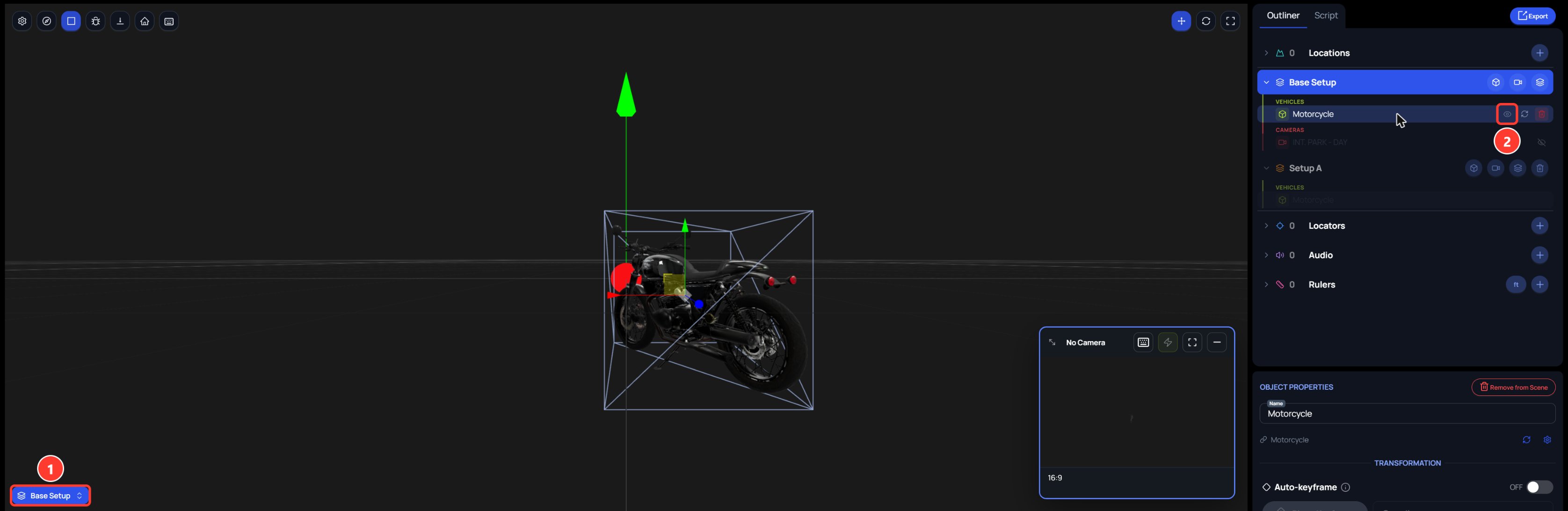
- The chip names the active setup, Base Setup.
- The open eye shows the object is visible in this setup.
Hidden objects are saved in your web browser. Another browser, another person, and the Spark iOS app still show them.