

Parenting a camera to a part
An imported USD object can hold parts that move on their own, such as a character or a car inside a larger file. A camera parented to the whole object follows the object’s root, which may not move at all. Parent the camera to the moving part instead.- Select the camera and open the Parent list.
- The list shows None (world), then each object. Under an object, its moving parts are indented and marked with ↳. An object whose root does not move is marked (doesn’t move).
- Choose the part.
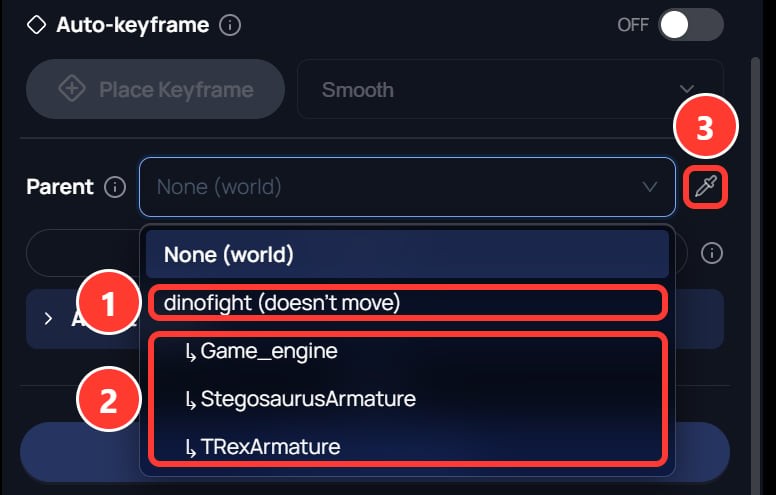
- The object. (doesn’t move) means its root stays still, so a camera parented here follows nothing.
- The object’s moving parts. Choose one of these.
- The eyedropper, for picking the part in the 3D canvas.