
The seat line
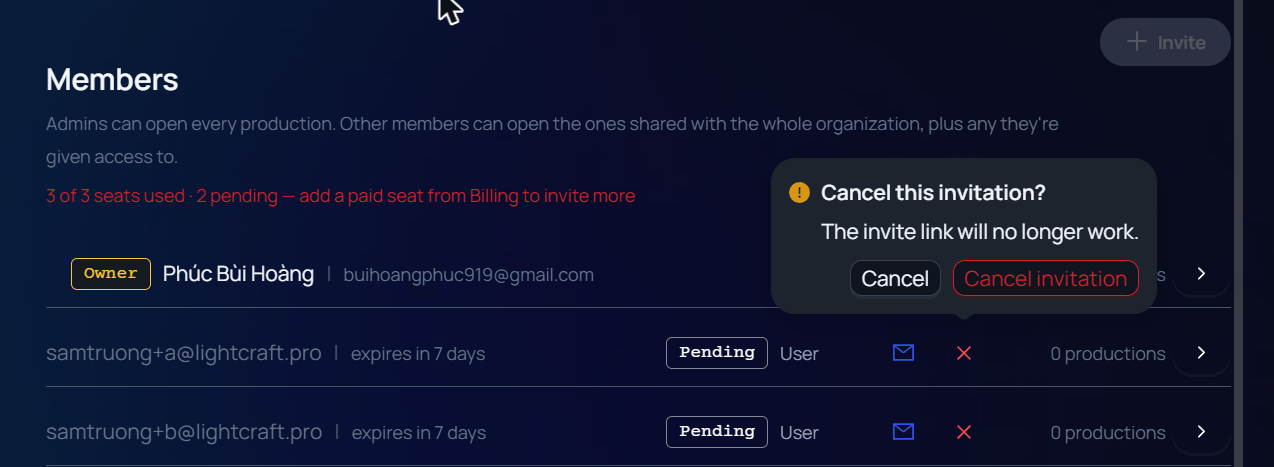
Open Organization Settings and look under Members. A line shows how many seats are in use, such as 1 of 3 seats used. An invitation that has not been accepted yet holds a seat and is counted as pending: 2 of 3 seats used · 1 pending. When every seat is taken, the line turns red and reads 3 of 3 seats used · 2 pending — add a paid seat from Billing to invite more. The Invite button is greyed out, with the tooltip Seat capacity reached.
- The seat line of a full organization.
- Invite is greyed out until a seat is free.
The invite window
The Invite member window shows the number of free seats under Invite by email. It checks each address when you leave the box.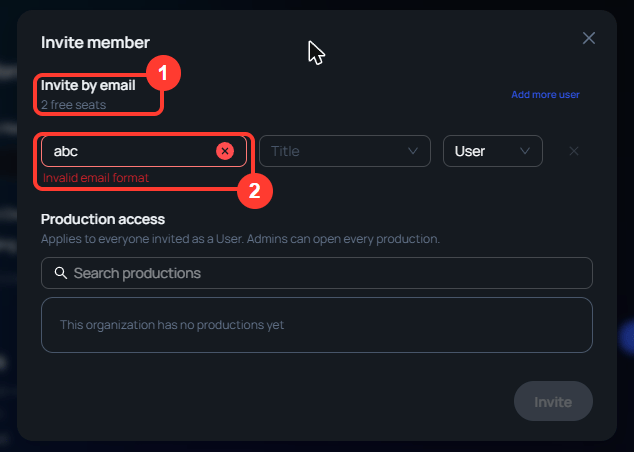
- The free seats left in the organization.
- The message under an address that cannot be invited.
Add more user is greyed out, with the tooltip No more free seats, when the rows in the window already use every free seat.
Pending invitations
An invitation appears in the Members list with the tag Pending and the time left, such as expires in 7 days.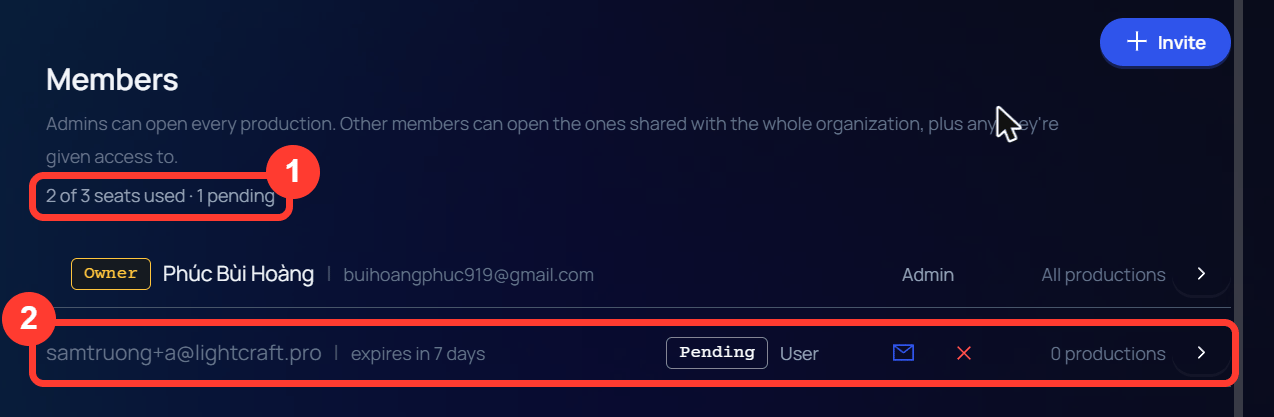
- The seat line counts the invitation as pending.
- The invitation row, with the envelope icon and the X.
- The envelope icon (Resend invitation) sends it again and shows Invitation resent to with the address.
- The X asks Cancel this invitation? and warns The invite link will no longer work. Click Cancel invitation. The message Invitation cancelled! appears, and the seat is free again.
Expired invitations
An invitation that has run out moves under the heading Expired invitations · don’t hold a seat. It has the tag Expired and the date it ran out. It is no longer counted on the seat line, so its seat can go to someone else.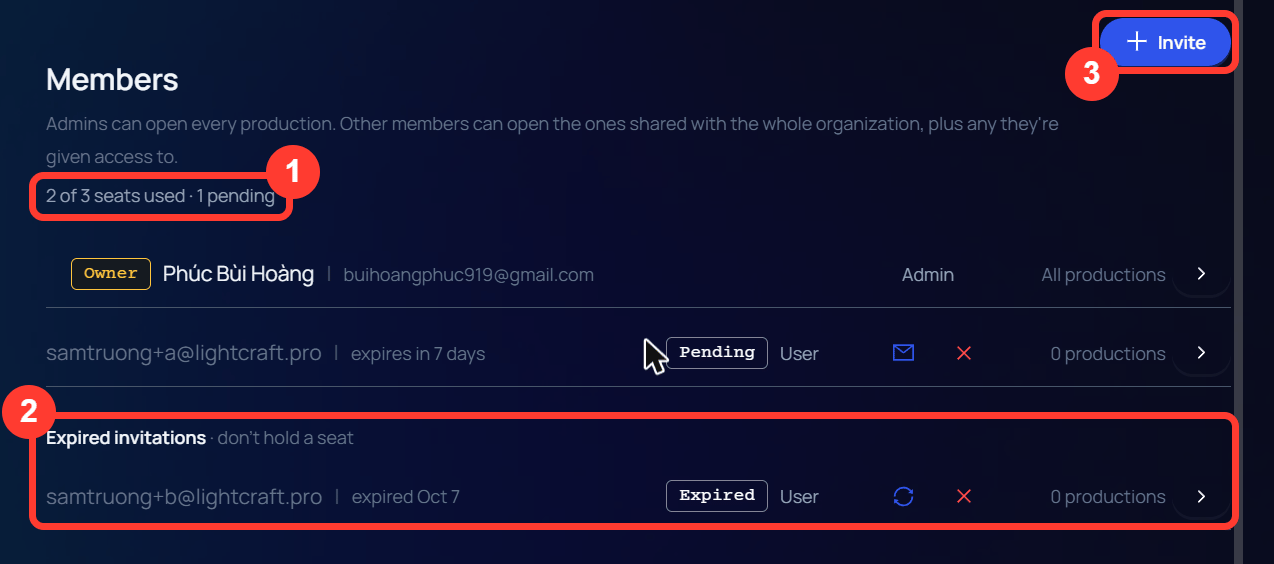
- The seat line no longer counts the expired invitation.
- The expired invitation, under its own heading.
- Invite is enabled again.
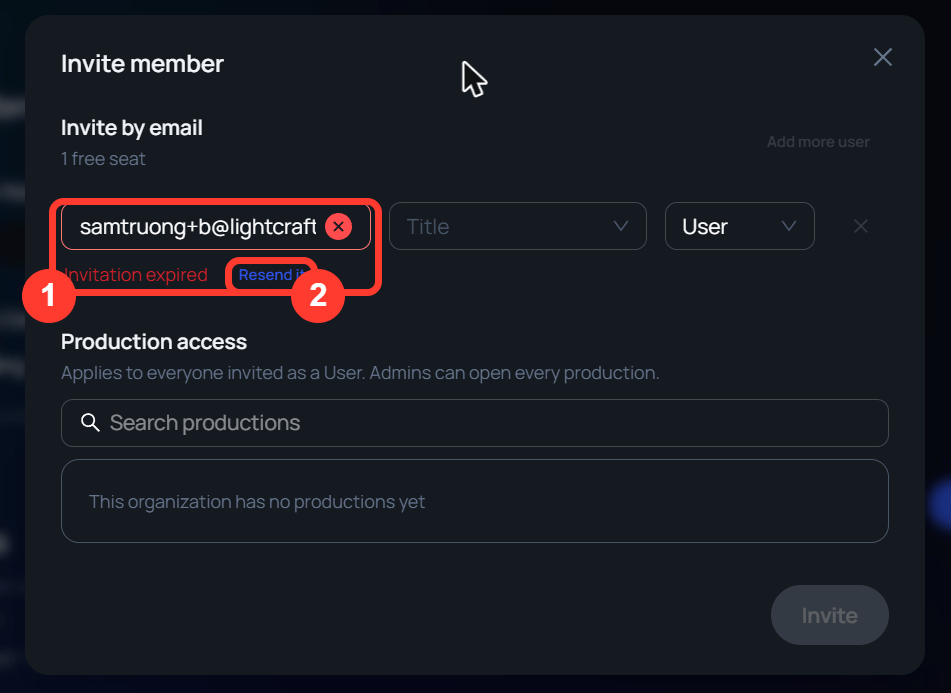
- The message for an address whose invitation ran out.
- Resend it sends the invitation again.
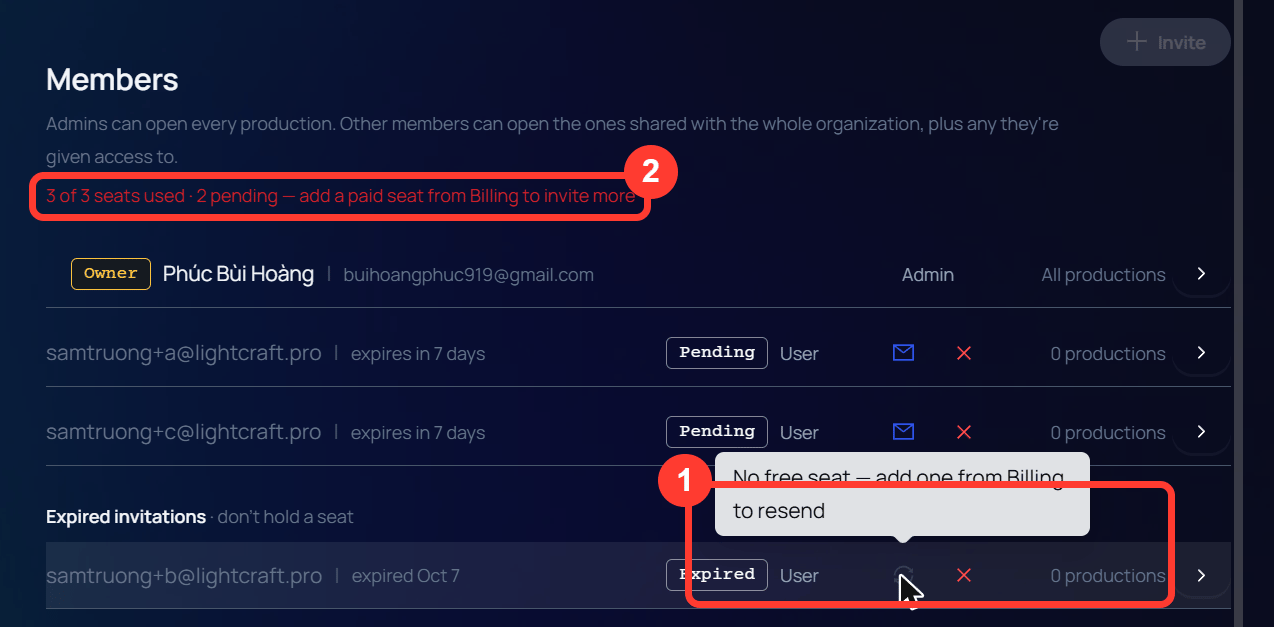
- The greyed resend icon and its tooltip.
- The seat line of the full organization.
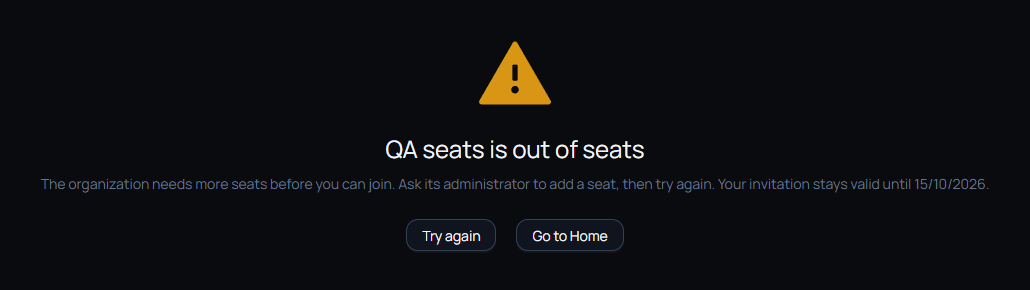
Accepting when the organization is full
A person who accepts an invitation while the organization has no free seat is not added. They see a page that names the organization and says it is out of seats.